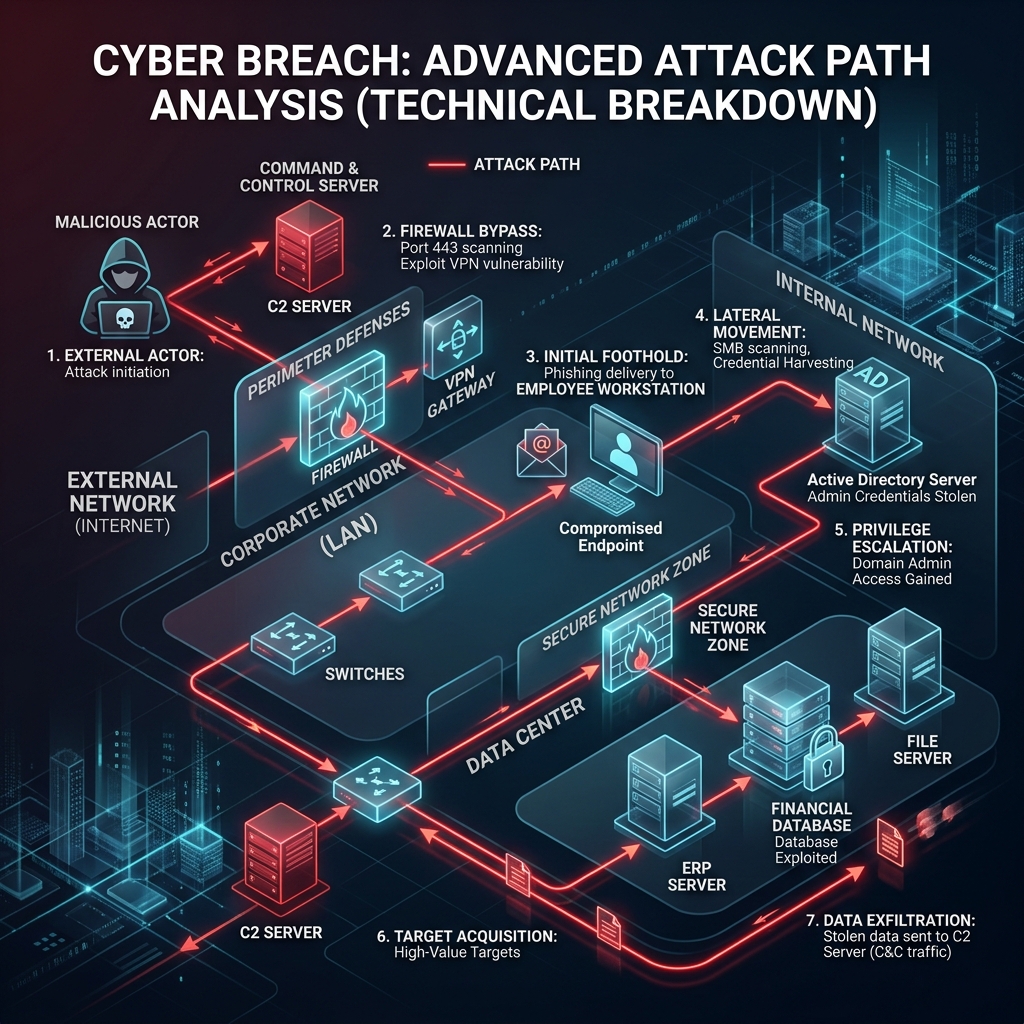
Most breaches don't start with a "Hollywood hacker" typing furiously in a dark room. They start with a tired employee, a Friday afternoon, and a seemingly urgent email. This post-mortem explores a real-world scenario (anonymized) encountered by our Incident Response team.
The Timeline of Compromise
An HR manager receives a "Resume Update" PDF from a prospective candidate. The PDF contains a hidden PowerShell script. Upon opening, a reverse shell is established to an attacker-controlled server in Eastern Europe.
Attackers use Mimikatz to dump credentials from the local memory. They find an unencrypted password of a domain admin who had recently logged onto the HR machine for troubleshooting.
With Admin rights, the attackers move to the File Server and Database. They begin exfiltrating 200GB of sensitive intellectual property and customer records via an encrypted tunnel.
Having stolen the data, the attackers deploy LockBit ransomware to encrypt all servers. Employees arriving on Monday find a "Your files are encrypted" note on every screen.
The Technical Gaps
Why did this succeed? It wasn't just "bad luck." There were three critical technical failures:
- Lack of EDR: Standard antivirus failed to detect the PowerShell-based reverse shell because it was "fileless."
- Excessive Privileges: A Domain Admin should never have logged onto a workstation without using a "Privileged Access Workstation" (PAW).
- No Egress Filtering: The 200GB of data transfer went unnoticed because the firewall allowed all outbound traffic on port 443.
How to Prevent This
1. Implement Endpoint Detection & Response (EDR) with 24/7 monitoring.
2. Enforce the Principle of Least Privilege (PoLP) across the entire domain.
3. Conduct regular Red Teaming exercises to find these paths before attackers do.
Worried About Your Internal Security?
Our Red Team can simulate this exact scenario to test your defenses without the risk.
Enquire Now